TL;DR: What You Need to Know
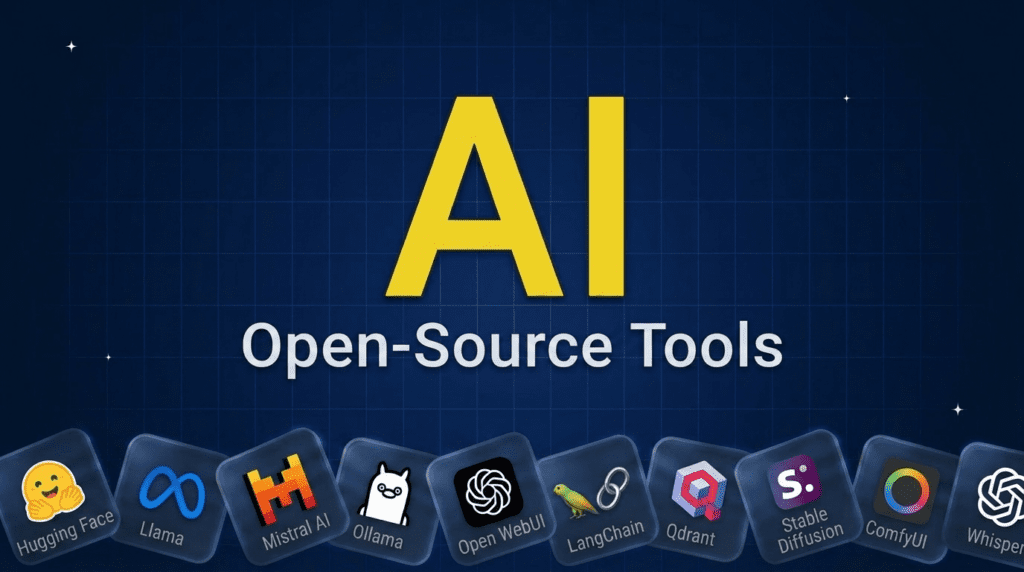
The best open-source AI tools let you run, build, and customize AI without vendor lock-in or per-call fees. The hub is Hugging Face, the leading open models are Llama and Mistral, and to run them on your own machine you use Ollama with a Open WebUI front end. For building apps, LangChain and the vector database Qdrant are standards. For media, Stable Diffusion and ComfyUI generate images and Whisper handles speech. Most are genuinely free to self-host, with the tradeoff that you manage the setup.Pricing verified June 2026. AI tool pricing changes often, so confirm the current price on each vendor’s site before you subscribe. Inside AI Media is not an AI tool vendor; these picks are ranked on merit, not promotion.
The best open-source AI tools at a glance
Here is how the main tools compare on what they do, the category, and license type. Most are free and open-source; a few leading “open” models use open-weight licenses with some restrictions, noted below.| Tool | Best for | Category | Cost |
|---|---|---|---|
| Hugging Face | The open-source AI hub | Platform / libraries | Free / paid |
| Llama | Leading open LLM family | Model (open-weight) | Free |
| Mistral | Efficient open models | Model (open-weight) | Free |
| Ollama | Running LLMs locally | Local runtime | Free |
| Open WebUI | Self-hosted chat interface | Chat UI | Free |
| LangChain | Building AI apps | Framework | Free / paid |
| Qdrant | Vector search for RAG | Vector database | Free / paid |
| Stable Diffusion | Open image generation | Image model | Free |
| ComfyUI | Node-based image workflows | Image tool | Free |
| Whisper | Speech-to-text | Audio model | Free |
What counts as an open-source AI tool?
Open-source AI tools are ones whose code, and often model weights, are publicly available to use, modify, and self-host, usually for free. The appeal is control, privacy, no per-call costs, and no lock-in: you run the AI on your own terms. One nuance worth knowing: many headline “open” models, like Llama, are actually open-weight, meaning the weights are downloadable under a license with some restrictions, rather than fully open-source under an OSI-approved license. For most builders the practical benefit is the same, you can run and adapt them, but it is worth checking the license for commercial use. The tools below span models, local runtimes, app frameworks, and media generation.How we picked these open-source AI tools
We are an independent publisher and do not sell any of these tools, so none of these picks is our own product. We grouped tools by what they do, then weighed each on adoption and community, how genuinely open the license is, usefulness, and how active the project is. We favored well-maintained, widely used projects, and we flag where a leading model is open-weight rather than fully open-source.Best open-source AI models and hub
Start here: the place to find models, and the leading open models themselves.1. Hugging Face, best open-source AI hub
Hugging Face is the center of open-source AI, hosting hundreds of thousands of models and datasets and maintaining core libraries like Transformers, plus tools to run and share AI. Whatever open-source AI you are building, you almost certainly start here, which makes it the single most important tool on this list.- Best for: Finding, using, and sharing open models and datasets.
- Cost: Free; paid compute and Pro tiers.
- Skip if: nothing, it underpins the whole ecosystem.
2. Llama, best leading open LLM family
Meta’s Llama is the most influential family of openly available large language models, downloadable and runnable on your own hardware, and the base for countless fine-tuned variants. It is open-weight rather than strictly open-source, with a community license, but for most builders it is the default open LLM to reach for.- Best for: A capable, widely supported open LLM to build on.
- Cost: Free under Meta’s community license.
- Skip if: you need a fully OSI-approved license with no restrictions.
3. Mistral, best for efficient open models
Mistral releases strong, efficient open-weight models that punch above their size, popular for running capable AI on modest hardware. Its open models are a favorite for developers who want performance per parameter and a more permissive feel than some alternatives, alongside Mistral’s hosted options.- Best for: Efficient open models that run on less hardware.
- Cost: Open models free to self-host.
- Skip if: you only want the absolute largest frontier model.
Best open-source tools to run AI locally
These let you run open models on your own machine, privately and for free.4. Ollama, best for running LLMs locally
Ollama makes running open LLMs on your own computer remarkably simple: install it, pull a model like Llama or Mistral, and chat or call it via an API, no cloud required. It has become the default way for developers and enthusiasts to run local AI, with privacy and zero usage cost.- Best for: Easily running open models on your own machine.
- Cost: Free and open-source.
- Skip if: you lack the hardware to run models locally.
5. Open WebUI, best self-hosted chat interface
Open WebUI is a self-hosted, ChatGPT-style interface for your local or open models, often paired with Ollama, giving you a polished chat experience you fully control. For teams and individuals who want a private alternative to commercial chatbots, it is the leading open front end.- Best for: A private, self-hosted chat UI for open models.
- Cost: Free and open-source.
- Skip if: you are happy using a hosted chatbot.
Best open-source tools to build AI apps
For developers building on top of open models, these are the standards.6. LangChain, best framework for AI apps
LangChain is a widely used open-source framework for building applications with LLMs, handling prompts, chains, tools, agents, and retrieval so you do not build the plumbing from scratch. It works with open and closed models alike and is a common starting point for AI app development.- Best for: Building LLM apps, agents, and RAG pipelines.
- Cost: Open-source; paid LangSmith tooling.
- Skip if: your app is simple enough to call a model directly.
7. Qdrant, best open-source vector database
Qdrant is a fast, open-source vector database used to power retrieval-augmented generation and semantic search, storing embeddings so AI apps can find relevant context. For anyone building RAG on open infrastructure, it is a leading self-hostable choice, with a managed cloud option too. Chroma and Weaviate are comparable alternatives.- Best for: Vector search and RAG you can self-host.
- Cost: Open-source; paid cloud.
- Skip if: you do not need retrieval or semantic search.
Best open-source AI tools for images and audio
Open models power media generation too, with full control over how you run them.8. Stable Diffusion, best for open image generation
Stable Diffusion is the leading open image-generation model, runnable on your own hardware and endlessly customizable with fine-tunes and extensions. It is the foundation of the open image-AI ecosystem, free from the usage limits of hosted generators. See our best AI image generators guide for the wider field.- Best for: Customizable, self-hosted image generation.
- Cost: Free to self-host.
- Skip if: you want the simplest hosted image tool.
9. ComfyUI, best for node-based image workflows
ComfyUI is an open-source, node-based interface for building powerful, repeatable image-generation workflows with Stable Diffusion and related models. It is the power-user’s tool for fine control over the generation pipeline, hugely popular in the open image-AI community.- Best for: Advanced, customizable image-generation pipelines.
- Cost: Free and open-source.
- Skip if: you want a simple prompt box, not a node graph.
10. Whisper, best open speech-to-text
Whisper, released openly by OpenAI, is a highly accurate speech-to-text model you can run yourself for transcription and translation across many languages. For developers who need reliable, private, free transcription without an API bill, it is the open standard.- Best for: Accurate, self-hosted speech-to-text.
- Cost: Free and open-source.
- Skip if: you want a managed transcription service with support.
How to choose open-source AI tools
Start with your goal. To use open models with no setup overhead, run Ollama with Open WebUI on your machine. To build an application, combine an open model from Hugging Face with LangChain and a vector database like Qdrant. For media, Stable Diffusion with ComfyUI for images and Whisper for audio. Check licenses if you are shipping commercially, since some leading models are open-weight with conditions rather than fully open-source. The tradeoff for all the control and zero usage cost is that you manage the infrastructure, so weigh self-hosting effort against the convenience of a hosted API.Frequently asked questions
Hugging Face is the central hub, Llama and Mistral are the leading open models, Ollama and Open WebUI run them locally, LangChain and Qdrant build apps, and Stable Diffusion, ComfyUI, and Whisper handle images and audio. Most teams combine a model, a way to run it, and a framework.
Mostly yes. The tools and open models are free to download and self-host, with no per-call fees. Your costs are the hardware or cloud compute to run them, plus your time to set them up. Some projects also offer paid managed cloud versions for convenience.
Open-source means the code (and often weights) are released under a license that allows free use, modification, and redistribution. Open-weight means the model weights are downloadable but under a license with some restrictions, like Meta’s Llama. Both let you run and adapt the model; the difference matters mainly for licensing and commercial terms.
Yes. Tools like Ollama make it easy to run open LLMs locally, and smaller models run on a regular laptop while larger ones need a capable GPU. Running locally gives you privacy and zero usage cost, which is a major reason open-source AI is popular.
Open-source AI gives you control, privacy, no per-call costs, and no vendor lock-in, and you can customize and fine-tune the models. The tradeoffs are that you manage the infrastructure and the very top frontier models are often still closed. Many teams use both: open source where control matters, hosted APIs for convenience or peak capability.

Inside AI Media is a global platform that covers what’s happening in AI without the fluff. From breaking news to practical use cases, it keeps professionals, builders, and decision-makers updated on the latest in artificial intelligence, so they can make better, faster decisions and stay ahead.