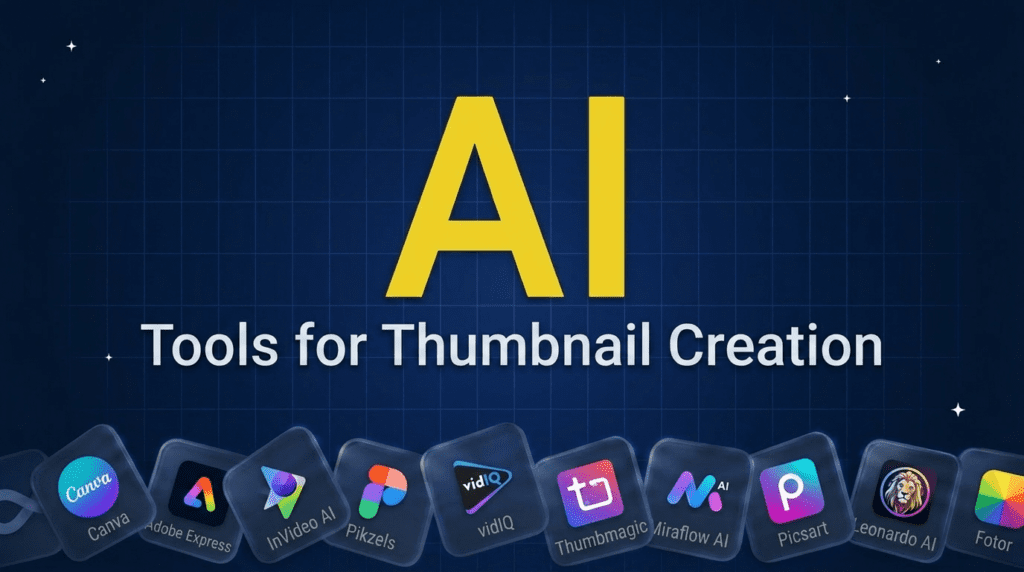
TL;DR: What You Need to Know
Canva is the best AI thumbnail maker for most creators because it pairs AI generation with a full editor, thousands of YouTube templates, and clean free exports. If you want a genuinely free option with no watermark, Adobe Express is the one to start with. For faceless channels that need realistic human faces, Pikzels stands out, and data-driven YouTubers get the most from VidIQ thanks to its competitor analysis.
The thing the marketing pages skip: most dedicated AI thumbnail generators stamp a watermark on free exports, while editor-style tools like Canva and Adobe Express let you download clean. This guide ranks 10 tools with an honest price, free-tier, and watermark breakdown, plus the exact YouTube size to use and how to keep your face and brand consistent across a channel.
Pricing verified June 2026. AI tool pricing changes often, so confirm the current price on each vendor’s site before you subscribe. Inside AI Media is not an AI tool vendor; these picks are ranked on merit, not promotion.
Best AI thumbnail makers compared
Here is the quick comparison, including the watermark reality that decides whether the free tier is actually usable. If you run a channel, this pairs naturally with our best AI tools for content creators guide.
| Tool | Best for | Free tier | Watermark on free | Starting price |
|---|---|---|---|---|
| Canva | Best overall, beginners, brand kit | Yes | No (clean exports) | Pro ~$15/mo |
| Adobe Express | Best free, no watermark | Yes (generous) | No | Premium ~$10/mo |
| InVideo AI | Uploading your own face or product | Yes | Yes | Paid tiers vary |
| Pikzels | Faceless channels, realistic AI faces | Limited | $28/mo | ~$28/mo |
| VidIQ | Data-driven YouTubers | Yes | $39/mo | Boost ~$19/mo |
| Thumbmagic | High-volume, batch creation | 3/mo | $17/mo | ~$17/mo |
| Miraflow AI | Speed plus CTR prediction | Limited | Likely | ~$10/mo |
| Picsart | Best mobile app | Yes | Some assets gated | Plus ~$5/mo |
| Leonardo AI | Custom artwork, gaming and cinematic | Yes (daily credits) | No | ~$12/mo |
| Fotor | Simple free web tool | Yes | Some on free | Pro ~$9/mo |
How we picked these tools
A thumbnail tool lives or dies on whether the result earns the click, so we judged each on the output that matters: image quality, whether the AI can render readable text, and how easily you can put your own face on the image. We also weighed the practical details creators get burned by, namely what the free tier actually allows, whether free exports carry a watermark, and whether you can reuse the result on a monetized video. Tools that only generate, with no way to edit the result, were marked down against the all-in-one editors.
The 10 best AI thumbnail makers in 2026
1. Canva
Canva is the safe default for almost anyone making thumbnails. It combines AI image generation with a full drag-and-drop editor, more than ten thousand YouTube thumbnail templates, a background remover, and a brand kit that keeps your fonts and colors consistent. Free exports come out clean, which alone puts it ahead of most dedicated generators.
- Best for: beginners and anyone who wants generation plus editing in one place.
- Pricing: free with limited AI credits; Pro around $15/mo.
- Free tier: yes, with clean (watermark-free) exports.
- Pros: huge template library, brand kit, background remover, easy editing.
- Cons: AI image generation is capped on free; results can look template-like.
- Best for: most creators. Skip if: you want hyper-real AI faces.
2. Adobe Express
Adobe Express is the strongest free pick because its free plan is generous and exports without a watermark. It brings Adobe’s editing polish to a browser-based tool, with text effects, background removal, and Firefly-powered generation trained on licensed content, which makes it a safer choice for commercial use.
- Best for: a free, no-watermark thumbnail editor.
- Pricing: free; Premium around $10/mo.
- Free tier: yes, generous, no watermark.
- Pros: clean free exports, Firefly generation, strong text and editing tools.
- Cons: fewer YouTube-specific templates than Canva; AI faces are weaker.
- Best for: budget creators. Skip if: you need batch creation at volume.
3. InVideo AI
InVideo’s thumbnail maker is built for putting your own face or product into the image. You upload a photo, describe the scene, and it generates a thumbnail around it, then auto-sizes for the platform you name. The catch is a watermark on the free tier, so plan to upgrade for clean output.
- Best for: uploading your own face or product image.
- Pricing: free with watermark; paid tiers for clean exports.
- Free tier: yes, watermarked.
- Pros: face and product upload, multi-platform sizing, fast.
- Cons: watermark on free; tied to the wider InVideo suite.
- Best for: face-forward channels. Skip if: you want a free clean download.
4. Pikzels
Pikzels targets faceless channels that still want a human face on the thumbnail. Its strength is generating realistic AI people with control over emotion, lighting, and look, which solves the awkward problem of needing an expressive face without filming yourself.
- Best for: faceless channels needing realistic AI faces.
- Pricing: Premium $40/mo ($28/mo billed annually); Ultimate $80/mo ($56/mo annually). No free tier.
- Free tier: very limited.
- Pros: realistic AI faces, emotion and lighting control, YouTube-focused.
- Cons: pricier; thin free tier; narrower than a full editor.
- Best for: faceless creators. Skip if: you film yourself or want free use.
5. VidIQ
VidIQ is a YouTube growth tool that added AI thumbnails, and its edge is data. It can analyze what is working in your niche and for competitors, then suggest thumbnails informed by that, which appeals to creators who treat the channel like a business rather than a hobby.
- Best for: data-driven YouTubers who want competitor insight.
- Pricing: Free (150 AI credits/mo); Max $39/mo (billed yearly); Enterprise custom.
- Free tier: yes, limited.
- Pros: niche and competitor analysis, growth tools alongside thumbnails.
- Cons: AI generation needs the paid plan; thumbnail tool is secondary to analytics.
- Best for: serious YouTubers. Skip if: you just want a quick thumbnail.
6. Thumbmagic
Thumbmagic is built for creators who publish often. It offers face detection, text-overlay optimization, batch generation, and A/B testing tied to YouTube analytics, so a high-volume channel can produce and test many thumbnails without starting from scratch each time.
- Best for: high-volume creators who batch and test.
- Pricing: Free (3 thumbnails); Starter $17/mo (billed yearly); Pro $35/mo; Business $59/mo.
- Free tier: three thumbnails a month.
- Pros: batch creation, A/B testing, face detection, text optimization.
- Cons: small free tier; likely watermark on free output.
- Best for: frequent publishers. Skip if: you post occasionally.
7. Miraflow AI
Miraflow turns a video title into a thumbnail in seconds and scores it for predicted click-through, which is useful when you want a quick, data-backed option without much fiddling. It is fast and cheap, aimed at creators who value speed over deep editing control.
- Best for: speed plus built-in CTR prediction.
- Pricing: from around $10/mo; Pro around $20/mo.
- Free tier: limited.
- Pros: very fast, CTR scoring, affordable, one-click from a title.
- Cons: less editing control; likely watermark on free.
- Best for: quick turnarounds. Skip if: you want fine manual control.
8. Picsart
Picsart is the pick for creating on your phone. Its mobile app is genuinely capable, with AI generation, background removal, and effects that work well on a small screen, which suits creators who edit between filming rather than at a desk.
- Best for: making thumbnails on mobile.
- Pricing: free; Plus around $5/mo.
- Free tier: yes, with some assets gated.
- Pros: strong mobile app, AI tools, affordable upgrade.
- Cons: some features and assets need Plus; less YouTube-specific.
- Best for: mobile creators. Skip if: you work mainly on desktop.
9. Leonardo AI
Leonardo AI is the choice when you want custom artwork rather than a templated layout, which makes it popular with gaming and cinematic channels. It gives you real control over art style and generation, though you build the thumbnail composition yourself rather than from a thumbnail-specific template.
- Best for: custom artwork for gaming and cinematic channels.
- Pricing: free daily credits; paid from around $12/mo.
- Free tier: yes, daily token allowance.
- Pros: high-quality custom art, strong style control, clean free output.
- Cons: not thumbnail-specific; you handle layout and text yourself.
- Best for: art-led channels. Skip if: you want templates and quick text.
10. Fotor
Fotor rounds out the list as a simple free web tool that covers the basics well: AI generation, background removal, and quick text, all in a clean interface. It is a good grab when you want a fast thumbnail without learning a heavier editor.
- Best for: simple, free, browser-based thumbnails.
- Pricing: free; Pro around $9/mo.
- Free tier: yes, with some features on the paid plan.
- Pros: easy to use, free generation, background removal.
- Cons: fewer advanced features; some watermark and export limits on free.
- Best for: casual creators. Skip if: you need brand kits or batch tools.
Generate-only vs full editor: which do you need?
The tools here split into two types, and picking the wrong one wastes time. Pure generators like Pikzels, Miraflow, and Leonardo produce an image from a prompt but give you little control to fix text or move elements afterward. Full editors like Canva, Adobe Express, and Picsart let you generate and then refine, which matters because AI rarely nails the text and layout on the first try. If you want hands-off speed, a generator is fine. If you care about getting the details right, choose an editor.
Free vs paid: the watermark reality
Most dedicated AI thumbnail generators let you create free but stamp a watermark on the download, which makes the free tier a preview rather than a usable result. The editor-style tools are the exception. Canva and Adobe Express both export clean on their free plans, and Leonardo’s free generations are watermark-free. InVideo, Thumbmagic, Miraflow, and Fotor either watermark free output or gate clean exports behind a paid plan. If a free, ready-to-publish thumbnail is the goal, start with Adobe Express or Canva.
YouTube thumbnail size and other platforms
For YouTube, make your thumbnail 1280 by 720 pixels, keep the 16:9 ratio, stay under 2MB, and export as JPG, PNG, or GIF. Other platforms need different sizes: Twitch panels and offline screens, podcast covers at 3000 by 3000 pixels for Spotify and Apple, course thumbnails around 750 by 422 pixels for Udemy, and a vertical cover for Instagram Reels. Most of the editor tools can resize a design across these formats, so build once and adapt rather than starting over. Our best AI tools for social media marketing guide covers cross-platform creation in more depth.
Keeping your face and brand consistent
Channels grow faster when thumbnails look like they belong together, which comes down to two things. For your face, tools that let you upload a photo (InVideo) or generate a consistent AI person (Pikzels) keep the look steady across videos. For brand consistency, a brand kit that locks your fonts, colors, and logo, as Canva and Adobe Express offer, stops every thumbnail from looking different. Decide on a template, a font, and two or three colors early, then reuse them so viewers recognize your videos at a glance.
Will the AI text be readable?
AI image models are notorious for mangling text, so do not rely on a generator to write your title cleanly. The safer workflow is to generate the background and imagery with AI, then add the text yourself in an editor like Canva or Adobe Express where you control the font and size. Keep the text short, three or four words at most, and large enough to read on a phone, since most viewers see thumbnails at thumbnail size on mobile.
Do AI thumbnails actually increase CTR?
A better thumbnail can lift click-through, but the tool is only part of it. What moves the number is a clear focal point, readable text, a strong facial expression, and contrast that stands out in a crowded feed, all of which these tools help with. Some, like Thumbmagic and Miraflow, add A/B testing or CTR prediction so you can compare options rather than guess. Worth remembering: a misleading thumbnail can raise clicks while hurting watch time and trust, so optimize for the click you can deliver on.
How to choose the right tool
Match the tool to your channel. If you want one tool that does everything, Canva is the answer, and if you want it free, Adobe Express. Faceless channels should look at Pikzels, high-volume publishers at Thumbmagic, and data-focused YouTubers at VidIQ. If you edit on your phone, Picsart wins, and if you want custom art, Leonardo. Start with a free tier, confirm it exports clean, and only pay once a tool earns a place in your weekly workflow.
Frequently asked questions
Yes. Canva, Adobe Express, Fotor, Picsart, and Leonardo all have free tiers. Adobe Express and Canva are the best free options because they export without a watermark, while many dedicated generators stamp free downloads.
Adobe Express is the strongest free, no-watermark option, with Canva a close second. Leonardo’s free generations are also watermark-free. Most dedicated thumbnail generators add a watermark unless you upgrade.
Use 1280 by 720 pixels at a 16:9 ratio, under 2MB, saved as JPG, PNG, or GIF. That is YouTube’s recommended size and keeps the image sharp on every device.
Yes. InVideo lets you upload your own photo and builds the thumbnail around it, and Pikzels can generate a consistent realistic face for faceless channels. Editors like Canva also let you drop in your photo and edit around it.
A stronger thumbnail can raise click-through, but it depends on a clear focal point, readable text, and good contrast, not the tool alone. Tools with A/B testing or CTR prediction help you compare options, though a misleading thumbnail can hurt watch time.
Usually yes, but check each tool’s licensing. Adobe Express uses Firefly, trained on licensed content, which is safer for commercial use, and Canva grants commercial rights though not always exclusivity. Read the terms before using a generated image on a monetized channel.
The bottom line on AI thumbnail makers
The best AI thumbnail maker for most creators is Canva, with Adobe Express the top free pick and Pikzels the choice for faceless channels. Whatever you choose, confirm the free tier exports clean, add your title text in an editor so it stays readable, and keep your fonts and colors consistent so your videos look like a set. Start free, test on real videos, and pay only for the tool you keep using.

Inside AI Media is a global platform that covers what’s happening in AI without the fluff. From breaking news to practical use cases, it keeps professionals, builders, and decision-makers updated on the latest in artificial intelligence, so they can make better, faster decisions and stay ahead.