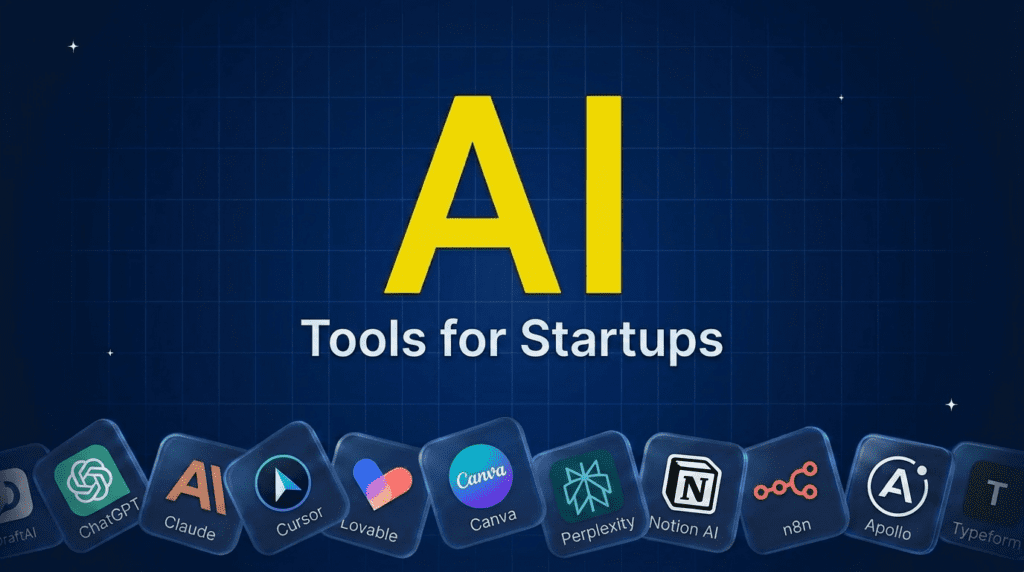
TL;DR: What You Need to Know
For a startup, AI is the way a tiny team does the work of a big one. Start with a core brain: ChatGPT and Claude handle almost any task. To build the product fast, Cursor and Lovable ship software with a small team. For brand and design, Canva; for research, Perplexity; for docs and organization, Notion AI; and to automate the busywork, n8n. To grow, Jasper for content and Apollo for sales. Most are free or cheap to start, so build a lean stack matched to your stage.Pricing verified June 2026. AI tool pricing changes often, so confirm the current price on each vendor’s site before you subscribe. Inside AI Media is not an AI tool vendor; these picks are ranked on merit, not promotion.
The best AI tools for startups at a glance
Here is how the main tools compare on the startup job they do, the free option, and where paid plans start. Pricing changes fast, so confirm on the vendor’s site before subscribing.| Tool | Best for | Job | Free option | Starting price |
|---|---|---|---|---|
| ChatGPT | Any startup task | Core brain | Yes | $20/mo |
| Claude | Reasoning, coding, docs | Core brain | $17/mo | $20/mo |
| Cursor | Building the product | Product | $20/mo | $20/mo |
| Lovable | Idea to app, no code | Product | Yes | $25/mo |
| Canva | Design and branding | Design | Yes | $15/mo |
| Perplexity | Research and analysis | Research | Yes | $20/mo |
| Notion AI | Docs, wiki, projects | Operations | $10/mo | $10/user/mo |
| n8n | Automation and agents | Operations | $20/mo | Free / $20/mo |
| Apollo | Sales prospecting | Sales | Yes | $49/mo |
Why startups need AI tools
Startups run on too little time, money, and people, which is exactly the gap AI fills. A founder can use it to write code, draft a pitch, design a logo, research a market, run outreach, and answer customers, work that once needed a whole team. The goal is not to collect tools but to build a lean stack: a general assistant for everything, plus a few specialists for the jobs that matter most at your stage. Below, the tools are grouped by the startup function they serve, with links to our deeper guides where a job deserves its own comparison.How we picked this AI tools for startups
We are an independent publisher and do not sell any of these tools, so none of these picks is our own product. We grouped tools by the job a startup actually needs done, then weighed each on impact for a small team, ease of adoption, the free tier, and value, favoring tools a founder can start using today over enterprise platforms. Treat this as a menu to assemble a stack from, not a list to buy all of.The startup core brain
Every startup should start here: one or two general assistants that handle almost anything.1. ChatGPT, best all-purpose tool for founders
ChatGPT is the single most useful tool for a startup. It drafts emails, writes and debugs code, builds a pitch, analyzes a spreadsheet, plans a launch, and answers almost any question, all from a prompt. For a founder wearing every hat, it is the closest thing to an extra team member, and the free tier alone goes a long way.- Best for: A flexible assistant for any startup task.
- Pricing: Free tier; Plus around $20/mo.
- Skip if: nothing, every startup should try it first.
2. Claude, best for reasoning, coding, and long documents
Claude is the other half of many founders’ core stack, strong at careful reasoning, coding, and working through long documents like contracts or specs. Many keep it alongside ChatGPT and reach for it on the more considered, technical, or writing-heavy work. For how the assistants compare, see our best AI chatbots guide.- Best for: Reasoning, coding, and long-form work.
- Pricing: Free; Pro $20/mo ($17/mo billed annually); Max from $100/mo.
- Skip if: one general assistant is enough for now.
Best AI tools to build your product
AI lets a tiny team ship real software fast, with or without engineers.3. Cursor, best for building with engineers
Cursor is an AI-first code editor that writes, edits, and refactors across your codebase, letting a small technical team move far faster. It has become a default for startup engineers who want AI deeply integrated into how they build. For alternatives, see our best AI coding assistants guide.- Best for: Technical teams shipping software faster.
- Pricing: Hobby free; Individual $20/mo; Teams $40/user/mo; Enterprise custom.
- Skip if: you have no engineers and want no-code.
4. Lovable, best for turning an idea into an app without code
Lovable lets non-technical founders build a working web app by describing it in plain English, generating the interface and logic so you can get a prototype or MVP live without hiring a developer. For validating an idea before investing in engineering, it is a fast, cheap way to go from concept to something real.- Best for: Non-technical founders building an MVP fast.
- Pricing: Free tier; paid from around $25/mo.
- Skip if: you have engineers and a complex product.
Best AI tools to design and research
Look credible and make smart decisions without a design or analyst hire.5. Canva, best for design and branding
Canva lets founders create logos, pitch decks, social graphics, and a whole brand without a designer, with AI that generates images, writes on-design copy, and resizes for every platform. For early-stage startups that need to look professional on a budget, it is the default design tool. Our best AI image generators guide covers more visual options.- Best for: Logos, decks, and brand visuals without a designer.
- Pricing: Free tier; Pro around $15/mo.
- Skip if: you need fully custom, high-end design.
6. Perplexity, best for research and market analysis
Perplexity is an AI research engine that answers questions with cited sources, ideal for sizing a market, scoping competitors, or getting up to speed on a topic fast. For founders who need credible answers quickly rather than a pile of browser tabs, it is the research shortcut. See our best AI research assistants guide for more.- Best for: Fast, sourced market and competitor research.
- Pricing: Free tier; Pro around $20/mo.
- Skip if: a general assistant covers your research needs.
Best AI tools to run and automate the business
Keep the company organized and automate the repetitive work.7. Notion AI, best for docs, wiki, and projects
Notion is where many startups run their docs, wiki, and projects, and its built-in AI drafts content, summarizes notes, and answers questions across your workspace. Having AI inside the place your knowledge already lives makes it a practical operating system for a small team.- Best for: Organizing docs, knowledge, and projects with AI.
- Pricing: Free; Plus $10/member/mo; Business $20/member/mo (includes Notion AI); Enterprise custom.
- Skip if: you run on a different docs system.
8. n8n, best for automation and AI agents
n8n connects your tools and automates workflows, increasingly with AI agents doing multi-step tasks, and you can self-host it to keep control and cost down. For startups that want to wire systems together and automate busywork without paying per task, it is flexible and powerful. Our best AI agents guide goes deeper.- Best for: Automating workflows and building agents affordably.
- Pricing: Free and open source (self-hosted); Cloud Starter $20/mo; Pro $50/mo; Business $667/mo; Enterprise custom.
- Skip if: you want the simplest no-setup automation.
Best AI tools to grow
Content and sales are where AI most directly drives early traction.9. Jasper, best for marketing content
Jasper helps startups produce on-brand marketing content at volume, across blog, social, and email, keeping a consistent voice as you scale output. For a lean team that needs to market consistently without a content hire, it does a lot. See our best AI writing tools and best AI tools for marketing guides for the wider field.- Best for: Consistent, on-brand marketing content at volume.
- Pricing: No free plan (7-day trial); Pro $69/mo ($59/mo billed annually); Business custom.
- Skip if: ChatGPT already covers your content needs.
10. Apollo, best for sales prospecting and outreach
Apollo combines a large contact database with AI that finds the right prospects, writes personalized outreach, and automates follow-up, giving an early sales motion in one tool. For founders doing their own selling, it replaces a stack of separate prospecting and email tools. Pair it with our best AI email writers guide.- Best for: Finding prospects and running outreach.
- Pricing: Free tier; paid from around $49/mo.
- Skip if: you are pre-revenue and not yet selling.
How to build your startup AI stack
Do not adopt all ten at once. Start with one core brain, ChatGPT, and add the specialists your stage demands. Pre-product, lean on Lovable or Cursor to build and Perplexity to research. Pre-launch, add Canva for brand and Notion AI to stay organized. Once you are growing, layer in Jasper for content and Apollo for sales, and use n8n to automate the repetitive glue work between everything. A lean stack of four or five tools you use daily beats a dozen subscriptions you forget, and most have free tiers, so add the next tool only when a real bottleneck appears.Frequently asked questions
The core picks are ChatGPT and Claude as all-purpose assistants, Cursor or Lovable to build the product, Canva for design, Perplexity for research, Notion AI for organization, n8n for automation, and Jasper and Apollo to grow. Most startups combine a general assistant with a few specialists for their stage.
Yes, many. ChatGPT, Claude, Canva, Perplexity, Notion AI, and n8n all have real free tiers a startup can build on, and most paid tools offer trials. Free plans cap usage or features, so you upgrade only once a specific limit slows you down.
Startups use AI to build software, write code and content, design brand assets, research markets and competitors, organize knowledge, automate workflows, prospect and sell, and support customers. It lets a small team cover roles that would otherwise need many more people.
Start with ChatGPT for everything, Lovable to build a product without code, Canva for design, Perplexity for research, and Notion AI to stay organized. These need no engineering background and let a non-technical founder get a real product and brand off the ground.
Fewer than you think. Most startups do well with four or five: one core assistant, one to build, one to design or research, and one to grow, plus an automation layer. Adding more usually adds cost and context-switching rather than progress, so expand only when a clear bottleneck appears.

Inside AI Media is a global platform that covers what’s happening in AI without the fluff. From breaking news to practical use cases, it keeps professionals, builders, and decision-makers updated on the latest in artificial intelligence, so they can make better, faster decisions and stay ahead.