TL;DR: What You Need to Know
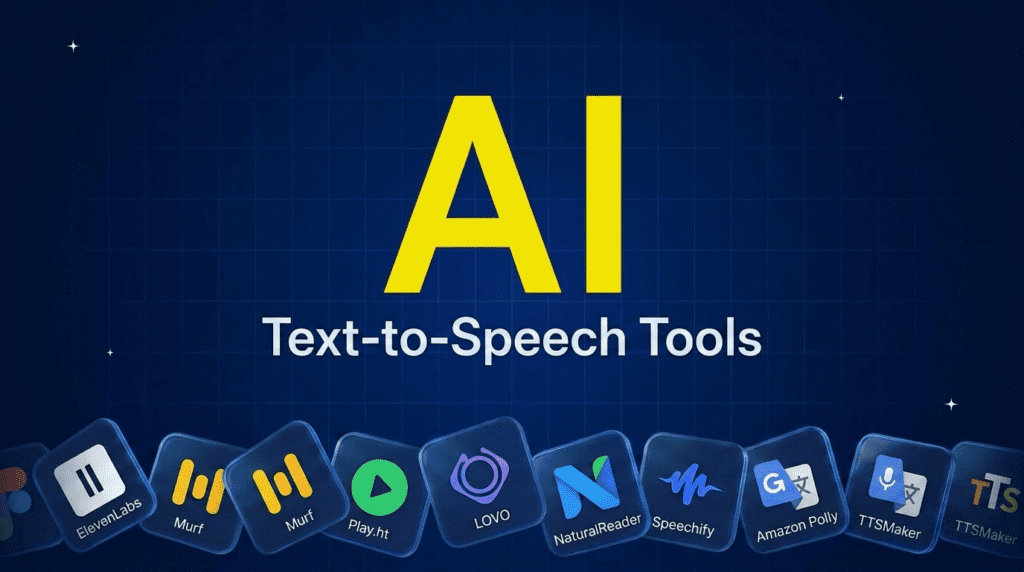
The best text-to-speech software depends on the job. For the most realistic AI voiceovers, ElevenLabs leads, with Murf close behind for marketing and business. For video creators, LOVO and Play.ht offer huge voice libraries. To simply read documents and articles aloud, NaturalReader and Speechify are built for that, and both help with dyslexia and accessibility. Developers wiring speech into an app want Amazon Polly, and TTSMaker is the best fully free option. Most have free tiers, so pick by whether you need a voiceover or a reader.Pricing verified June 2026. AI tool pricing changes often, so confirm the current price on each vendor’s site before you subscribe. Inside AI Media is not an AI tool vendor; these picks are ranked on merit, not promotion.
The best text-to-speech software at a glance
Here is how the main tools compare on what they suit, voice cloning, the free tier, and where paid plans start. Voice and pricing tiers change often, so confirm on the vendor’s site before you subscribe.| Tool | Best for | Voice cloning | Free tier | Starting price |
|---|---|---|---|---|
| ElevenLabs | Most realistic voiceovers | Yes | $6/mo | $5/mo |
| Murf | Marketing and business | Yes | Trial | $29/mo |
| Play.ht | Large voice library | Yes | Limited | $31/mo |
| LOVO | Video creators | Yes | Trial | $24/mo |
| NaturalReader | Reading documents aloud | No | Yes | $9.99/mo |
| Speechify | Reading on mobile, accessibility | Yes | $29/mo | $11.58/mo |
| Amazon Polly | Developers and apps | Custom | Usage-based | Pay per char. |
| TTSMaker | Completely free use | No | Yes, free | Free |
What is text-to-speech software?
Text-to-speech, or TTS, software reads written text out loud in a synthetic voice. Modern AI TTS sounds close to human, with natural intonation and emotion, and it serves two very different needs. The first is creating voiceovers: narration for videos, ads, courses, and podcasts, where you want a polished voice you can direct. The second is reading aloud: turning documents, emails, and web pages into audio so you can listen instead of read, which is a major help for accessibility and conditions like dyslexia. The best tool depends on which of those you need.How we picked
We are an independent publisher and do not sell a TTS tool, so none of these picks is our own product, and we left out the tools that rank themselves first in their own roundups. We weighed each on voice realism, the range of voices and languages, whether it offers voice cloning, ease of use, the genuine free tier, and value, and we split the list by use case because a creator’s needs and a reader’s needs barely overlap.Best text-to-speech software for AI voiceovers
These create polished narration for video, audio, and marketing, with control over tone and pacing.1. ElevenLabs, best for the most realistic voiceovers
ElevenLabs makes the most natural-sounding AI voices available, which is why it is everywhere in narration, audiobooks, and faceless video. It offers a large voice library, high-quality voice cloning, emotional delivery, and dubbing into other languages while keeping the original performance. For sheer realism, it is the standout.- Best for: The most lifelike voiceovers and narration.
- Pricing: Free ($0, 10k credits); Starter $6/mo (30k credits); Creator $11/mo (121k credits); Pro $99/mo; Enterprise custom.
- Skip if: you just want to read documents aloud cheaply.
2. Murf, best for marketing and business
Murf is built for teams making professional voiceovers for ads, e-learning, and presentations, with a clean studio, many polished voices, and tools to sync audio with slides or video. It is less about raw realism and more about a smooth workflow for business content, which makes it a favorite with marketing teams.- Best for: Business and marketing voiceovers with a team workflow.
- Pricing: Free trial; paid from around $29/mo.
- Skip if: you want the absolute most realistic voice at the lowest cost.
3. Play.ht, best for a large voice library
Play.ht offers one of the widest selections of voices and languages, plus voice cloning and an API, which suits creators who want choice and developers who want to build TTS into a product. It balances quality and range well, making it a flexible middle ground between a creator studio and a developer service.- Best for: Maximum voice and language choice, plus API access.
- Pricing: Limited free use; paid from around $31/mo.
- Skip if: you need a simple reader rather than a production tool.
4. LOVO, best for video creators
LOVO, also known as Genny, is aimed at video creators, pairing AI voices with an editor that handles voiceover, captions, and emotional delivery for YouTube, ads, and social clips. It is a strong fit when the voiceover is one step in making a finished video rather than the whole job.- Best for: Creators producing narrated video content.
- Pricing: Free trial; paid from around $24/mo.
- Skip if: you only need plain audio, not video tools.
Best text-to-speech software for reading aloud and accessibility
These turn documents, articles, and emails into audio so you can listen, and they are a major help for dyslexia and visual impairment.5. NaturalReader, best for reading documents aloud
NaturalReader is the go-to for listening to your own files. Upload a PDF, Word doc, or paste text and it reads it in a natural voice, with a browser extension for web pages and an education version widely used for accessibility. It is simple, affordable, and focused on reading rather than production.- Best for: Listening to documents, PDFs, and web pages.
- Pricing: Free tier; paid from around $9.99/mo.
- Skip if: you need studio-grade voiceovers for video.
6. Speechify, best for reading on mobile and accessibility
Speechify is the most popular reading app on the go, scanning printed text or reading articles, emails, and documents aloud at adjustable speeds across phone, browser, and desktop. It is widely used by people with dyslexia and anyone who wants to get through reading while commuting, and it also offers higher-end voices for creators.- Best for: Reading on mobile and dyslexia or accessibility support.
- Pricing: Free ($0, 10 voices); Premium $29/mo (1,000+ voices, 60+ languages; about 60% off annually).
- Skip if: you mainly need to produce voiceovers at a desk.
Best text-to-speech for developers and free use
One is for building speech into software, the other for spending nothing.7. Amazon Polly, best for developers
Amazon Polly is a cloud service that turns text into speech through an API, so developers can add natural voices to apps, devices, and IVR systems and pay only for what they use. It is not a consumer app, but for building TTS into a product at scale, it is a reliable, low-cost backbone.- Best for: Developers adding speech to apps and services.
- Pricing: Usage-based per character: Standard $4 per 1M characters; Neural $16; Long-Form $100; Generative $30 (free tier for first 12 months).
- Skip if: you want a ready-made app, not an API.
8. TTSMaker, best completely free option
TTSMaker is a genuinely free TTS tool with no sign-up, supporting many languages and voices and letting you download the audio, including for commercial use within its limits. The voices are not as lifelike as ElevenLabs, but for a quick, free voiceover or reading job it does the work without a paywall.- Best for: Free voiceovers and reading with no subscription.
- Pricing: Free, with usage limits.
- Skip if: you need the most realistic voice or voice cloning.
How to choose the right text-to-speech software
Decide first whether you are making a voiceover or listening to content. If you are creating narration for video, courses, or ads, go for a production tool: ElevenLabs for realism, Murf for business workflows, or LOVO if it is part of a video. If you just want to listen to documents and articles, a reader like NaturalReader or Speechify is cheaper and far simpler, and both help with dyslexia and accessibility. Developers should reach for an API like Amazon Polly, and anyone on zero budget can start with TTSMaker. Most have free tiers, so test the actual voice on your own text before paying, because voice quality is the one thing a spec sheet cannot tell you.Frequently asked questions
It depends on the job. ElevenLabs is best for realistic voiceovers, Murf for business and marketing, NaturalReader and Speechify for reading documents aloud, Amazon Polly for developers, and TTSMaker for free use. There is no single winner because making a voiceover and listening to content are different needs.
Yes. TTSMaker is fully free, NaturalReader, Speechify, and ElevenLabs have free tiers, and both Windows and Mac include a basic built-in reader. Free options usually limit characters, voices, or commercial use, so check the limits if you plan to publish the audio.
Yes. Hearing text read aloud while following along helps many people with dyslexia read faster, understand more, and tire less. Speechify and NaturalReader are widely used for this, with adjustable speed and highlighting, and many schools provide them as accessibility tools.
ElevenLabs is generally considered the most realistic, with natural intonation, emotion, and high-quality voice cloning. Play.ht and Murf are also strong. The best test is to paste your own text into the free tier and listen, since realism varies by voice and language.
Often yes, but it depends on the plan. Most paid tiers from ElevenLabs, Murf, and similar tools include commercial rights, while free tiers may not, and cloning a real person’s voice needs their consent. Always check the license for the specific plan before using a voice in published work.

Inside AI Media is a global platform that covers what’s happening in AI without the fluff. From breaking news to practical use cases, it keeps professionals, builders, and decision-makers updated on the latest in artificial intelligence, so they can make better, faster decisions and stay ahead.