TL;DR: What You Need to Know
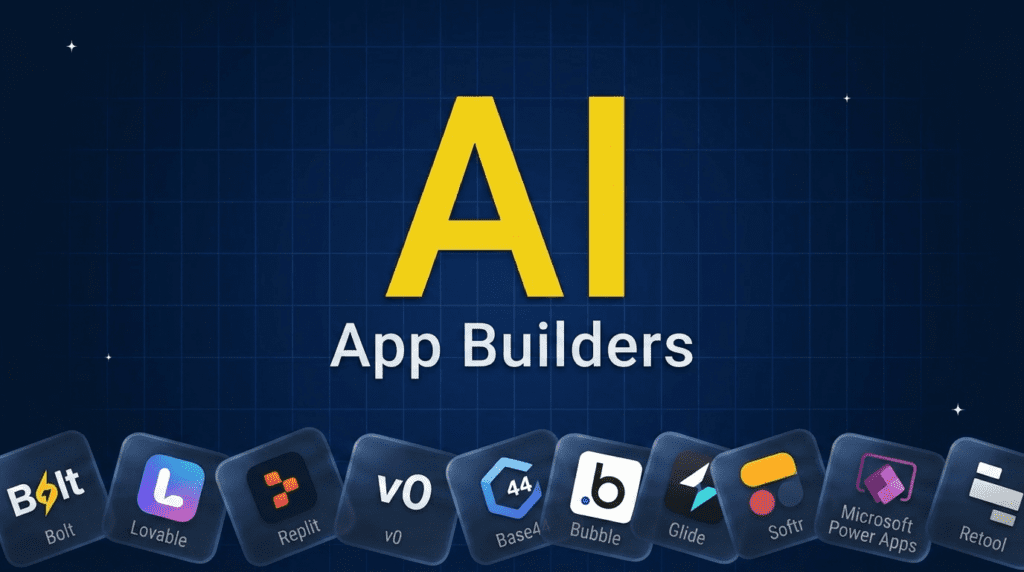
AI app builders turn a prompt or an idea into a working app, often in minutes. For full-stack web apps from a prompt, Bolt, Lovable, and Replit lead, with v0 strong for polished front-ends and Base44 the best free option. For production and business apps with no code, Bubble, Glide, Softr, Microsoft Power Apps, and Retool are the heavyweights. For native mobile, FlutterFlow and Adalo. Pick by what you are building, a quick web prototype, a real production app, internal tools, or a mobile app, and how much control over code you want.Pricing verified June 2026. AI tool pricing changes often, so confirm the current price on each vendor’s site before you subscribe. Inside AI Media is not an AI tool vendor; these picks are ranked on merit, not promotion.
The best AI app builders at a glance
Here is how the main tools compare on what they build best, who they suit, and pricing model. Pricing is usually tiered by usage, seats, or published apps, so confirm current plans with the vendor.| Tool | Best for | Builds | Pricing |
|---|---|---|---|
| Bolt | Full-stack web apps from a prompt | Web | Free / paid |
| Lovable | Design-led web apps | Web | Free / paid |
| Replit | Build, debug, and host in one place | Web | Free / paid |
| v0 by Vercel | Polished React front-ends | Web UI | Free / paid |
| Base44 | Best free AI app builder | Web | Free / paid |
| Bubble | Production web apps, no code | Web | Free / paid |
| Glide | Apps from spreadsheets and data | Web / mobile | Free / paid |
| Softr | Client portals and internal tools | Web | Free / paid |
| Microsoft Power Apps | Enterprise apps with Copilot | Web / mobile | Per user / paid |
| Retool | Internal tools at scale | Web | Free / paid |
| FlutterFlow | Native mobile apps | Mobile | Free / paid |
| Adalo | Simple native mobile apps | Mobile | Free / paid |
What is an AI app builder?
An AI app builder lets you describe the app you want in plain language and generates a working application, the interface, the logic, and often the database, instead of making you code it by hand. Two broad styles exist. The first is AI-native builders that take a prompt and generate a full-stack app you can edit and deploy, aimed at people comfortable seeing some code. The second is no-code and low-code platforms that have added AI to speed up building visually, aimed at business users and teams. The best choice depends on what you are making (a web app, an internal tool, or a mobile app), how much you need it to scale, and whether you want to own and export the underlying code. The tools below cover all of these.How we picked these app builders
We are an independent publisher and do not sell app-building software, so none of these picks is our own product. We grouped tools by what they build best, then weighed each on how good the AI generation actually is, the learning curve, control over code and data, hosting and deployment, integrations, and how well apps hold up as they grow. We focused on tools that produce real, usable apps, not just throwaway demos, and that teams and founders actually ship with today.Best AI-native builders: prompt to working web app
These take a description and generate a full, editable, deployable app, the fastest way from idea to running software.1. Bolt, best for full-stack web apps from a prompt
Bolt (bolt.new) generates complete full-stack web apps from a prompt directly in the browser, scaffolding the front end, back end, and database, then letting you edit, run, and deploy without leaving the page. For founders and developers who want a working app fast and are comfortable tweaking the generated code, it is one of the most capable AI-native builders available.- Best for: Full-stack web apps generated and deployed from a prompt.
- Pricing: Free tier; paid plans by usage.
- Skip if: you want a pure no-code tool with no code to touch.
2. Lovable, best for design-led web apps
Lovable turns prompts into polished, good-looking web apps with clean interfaces, handling the UI, logic, and backend while keeping the result visually refined. For people who want an app that looks professional out of the box without hiring a designer, it stands out for design quality among prompt-to-app builders.- Best for: Attractive, design-forward web apps from a prompt.
- Pricing: Free tier; paid plans by message or usage.
- Skip if: you need complex enterprise logic or native mobile.
3. Replit, best all-in-one build, debug, and host
Replit pairs a full cloud development environment with Replit Agent, which can build, debug, and deploy an app from a prompt, then hosts it for you, all in one place. For people who want to go from idea to a live, running app without juggling separate tools for coding and hosting, it is the most complete single environment here.- Best for: Building, debugging, and hosting an app in one workspace.
- Pricing: Free tier; paid plans and usage credits.
- Skip if: you only want a visual no-code canvas.
4. v0 by Vercel, best for polished React front-ends
v0 by Vercel generates production-quality React and Next.js interfaces from a prompt, producing clean, component-based front-end code you can drop straight into a Vercel project. For developers building modern web front-ends who want AI to handle the UI scaffolding, it is the sharpest tool for front-end generation.- Best for: Generating React/Next.js UI and front-end code.
- Pricing: Free tier; paid plans by usage.
- Skip if: you need a full backend and database, not just the front end.
5. Base44, best free AI app builder
Base44 builds full working apps from a prompt, including data and user logic, with a generous free tier that makes it the easiest no-cost way to get a real app running. Now part of Wix, it pairs simplicity with surprising capability. For people who want to try building an app without paying upfront, it is the best free starting point.- Best for: Building a real app for free from a prompt.
- Pricing: Free tier; paid plans for more usage.
- Skip if: you need deep enterprise controls or native mobile builds.
Best no-code platforms with built-in AI: production and business apps
These mature visual platforms have added AI to speed up building, and they produce apps that hold up in production and at work.6. Bubble, best for production web apps without code
Bubble is the most established no-code platform for building production-grade web apps, with a powerful visual editor, a real database, and AI features that help generate and assemble apps faster. For founders building a serious web product without a dev team, it offers more depth and scalability than most no-code tools.- Best for: Scalable, production web apps built visually.
- Pricing: Free tier; paid plans by workload.
- Skip if: you want a one-prompt build or native mobile apps.
7. Glide, best for apps from spreadsheets and data
Glide turns spreadsheets and databases into clean web and mobile apps, with AI that helps generate the app and add smart features from your existing data. For teams that already keep their data in Google Sheets, Airtable, or Excel and want an app on top of it fast, it is the quickest path from data to working tool.- Best for: Turning existing data into apps quickly.
- Pricing: Free tier; paid plans by users and usage.
- Skip if: you need complex custom logic or full code control.
8. Softr, best for client portals and internal tools
Softr builds client portals, internal tools, and simple web apps on top of Airtable, Google Sheets, and other data sources, with AI to generate apps and layouts fast. For teams that want a branded portal or internal app without engineering work, it is one of the easiest and most polished options.- Best for: Client portals and internal business apps.
- Pricing: Free tier; paid plans by users and features.
- Skip if: you need a customer-facing product that scales heavily.
9. Microsoft Power Apps, best for enterprise apps with Copilot
Microsoft Power Apps lets organizations build business apps with low code and Copilot AI, tightly integrated with Microsoft 365, Dataverse, and enterprise data. For companies already in the Microsoft ecosystem that need governed, secure internal apps at scale, it is the natural enterprise choice.- Best for: Governed enterprise apps inside the Microsoft stack.
- Pricing: Per-user and per-app plans.
- Skip if: you are a small team or not on Microsoft 365.
10. Retool, best for internal tools at scale
Retool is built for engineering teams to assemble internal tools, dashboards, and admin panels quickly, with AI features and components that connect to almost any database or API. For companies that need robust internal software fast without building every screen from scratch, it is the standard for production internal tools.- Best for: Internal tools and admin panels at scale.
- Pricing: Free tier; paid plans by users.
- Skip if: you want a no-code tool for non-technical users.
Best mobile-first AI app builders
These focus on producing real native iOS and Android apps.11. FlutterFlow, best for native mobile apps
FlutterFlow builds native iOS and Android apps visually on top of Google’s Flutter framework, with AI to generate screens and logic and the ability to export real Flutter code. For teams that want genuine native mobile apps without writing everything by hand, it offers the best balance of visual speed and real-app output.- Best for: Native mobile apps with code export.
- Pricing: Free tier; paid plans by features.
- Skip if: you only need a simple web app or internal tool.
12. Adalo, best for simple native mobile apps
Adalo lets non-technical builders create simple native mobile and web apps with a drag-and-drop editor and AI assistance, then publish to the app stores. For founders and creators who want a straightforward mobile app without code or a steep learning curve, it is one of the most approachable mobile builders.- Best for: Simple, publishable native mobile apps.
- Pricing: Free tier; paid plans by published apps.
- Skip if: you need a complex, high-scale or enterprise app.
How to choose an AI app builder
Start with what you are building. For a fast web app or prototype from a prompt, pick an AI-native builder like Bolt, Lovable, or Replit, or Base44 if you want to start free. For a real production web app without code, Bubble has the most depth. For business and internal apps, choose Glide or Softr for speed, Retool for engineering-grade internal tools, or Microsoft Power Apps if you are an enterprise on Microsoft 365. For native mobile, use FlutterFlow for real apps with code export or Adalo for something simple. Also weigh how much you care about owning the code, how the app will scale, and total cost as usage grows, since most plans are priced by usage or seats. The smartest move is to build the same small app in two finalists and compare.Frequently asked questions
It depends on what you are building. For full-stack web apps from a prompt, Bolt, Lovable, and Replit lead. For production web apps without code, Bubble is the most capable. For internal and business apps, Retool, Glide, and Microsoft Power Apps are strong, and for native mobile, FlutterFlow stands out.
Yes, for many use cases. Modern AI app builders can generate working web apps, including the interface, logic, and database, from a prompt, and they are good enough to ship real internal tools, MVPs, and simple products. Complex, high-scale, or highly custom apps still benefit from developer oversight and editing.
Yes. Base44 has one of the most generous free tiers for building a real app, and Bolt, Lovable, Replit, Glide, Softr, Bubble, and others all offer free plans you can start on before paying as your usage grows.
It varies. Code-first tools like Bolt, Replit, v0, and FlutterFlow let you see and often export the underlying code, while pure no-code platforms like Glide, Softr, and Adalo keep your app inside their platform. If owning and exporting code matters, check each tool’s export options before committing.
An AI app builder generates an app for you from a prompt, while a traditional no-code tool gives you a visual canvas to build it yourself. The line is blurring, as most no-code platforms have added AI generation, but AI-native builders like Bolt and Lovable lean on prompts first, whereas tools like Bubble and Glide are visual-first with AI assistance.

Inside AI Media is a global platform that covers what’s happening in AI without the fluff. From breaking news to practical use cases, it keeps professionals, builders, and decision-makers updated on the latest in artificial intelligence, so they can make better, faster decisions and stay ahead.