TL;DR: What You Need to Know
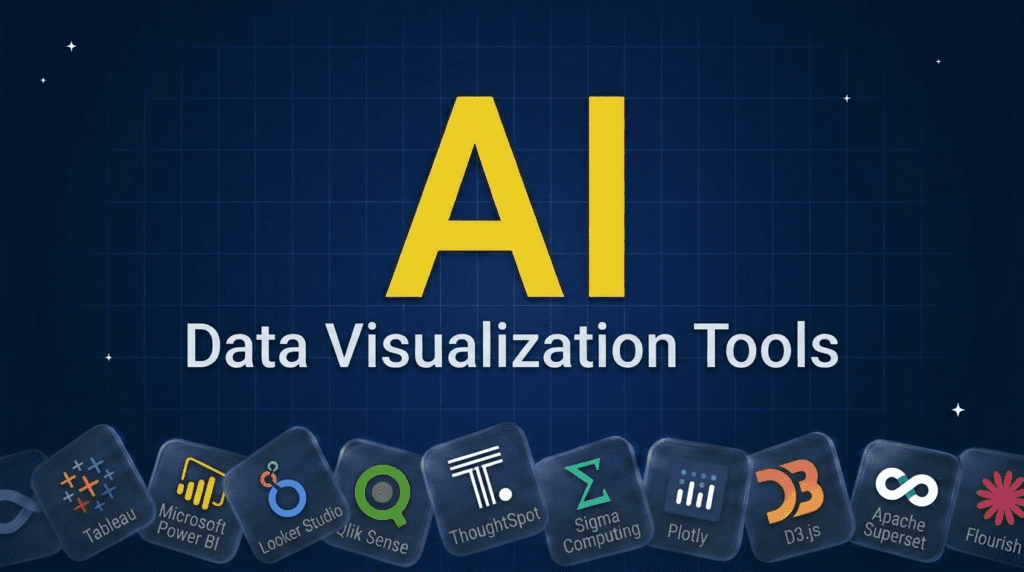
Data visualization tools turn raw data into charts, dashboards, and stories people can actually understand, increasingly with AI that builds visuals from a question. For business dashboards, Tableau, Power BI, Looker Studio, and Qlik lead, with ThoughtSpot and Sigma for AI-driven analytics. Developers reach for Plotly, D3.js, and Apache Superset. And for storytelling and infographics, Flourish, Datawrapper, and Infogram shine. Pick by whether you need dashboards, custom code-based visuals, or polished graphics.Pricing verified June 2026. AI tool pricing changes often, so confirm the current price on each vendor’s site before you subscribe. Inside AI Media is not an AI tool vendor; these picks are ranked on merit, not promotion.
The best data visualization tools at a glance
Here is how the leading data visualization tools compare on what they are best for and their type. Most have free tiers or are open-source; some are enterprise, so confirm pricing with the vendor.| Tool | Best for | Type |
|---|---|---|
| Tableau | Powerful visual analytics | BI / dashboard |
| Microsoft Power BI | Most teams, Microsoft stack | BI / dashboard |
| Looker Studio | Free Google-connected dashboards | BI / dashboard |
| Qlik Sense | Associative data exploration | BI / dashboard |
| ThoughtSpot | AI search-driven visuals | AI analytics |
| Sigma | Spreadsheet-style cloud analytics | AI analytics |
| Plotly | Interactive charts in code | Dev library |
| D3.js | Fully custom web visuals | Dev library |
| Apache Superset | Open-source BI | Dev / open-source |
| Flourish | Animated data stories | Storytelling |
| Datawrapper | Charts for publishing | Charts / publishing |
| Infogram | Infographics and reports | Infographics |
What are data visualization tools?
Data visualization tools turn numbers and datasets into visual forms, charts, graphs, maps, and dashboards, so patterns, trends, and outliers become easy to see and share. They matter because people understand a good chart far faster than a spreadsheet, which makes visualization central to analytics, reporting, and decision-making. The tools fall into a few groups: business intelligence platforms with drag-and-drop dashboards, AI-powered analytics that generate visuals from a natural-language question, developer libraries for fully custom, code-based charts, and design-focused tools for storytelling and infographics. Modern tools increasingly use AI to suggest charts, surface insights, and let you ask questions in plain English. The right one depends on whether you need dashboards, custom visuals, or polished graphics. For the analytics side, see our AI tools for business intelligence guide.How we picked these visualization tools
We are an independent publisher and do not sell visualization software, so none of these picks is our own product. We grouped tools by type, then weighed each on visualization quality and range, ease of use, data connectivity, AI features, and value, aiming for a mix across dashboards, code, and design. We focused on tools people actually use to visualize and share data.Best BI and dashboard visualization tools
These build interactive dashboards with drag-and-drop, no coding required.1. Tableau, best for powerful visual analytics
Tableau is the benchmark for rich, interactive data visualization, letting users build sophisticated dashboards and explore data visually, now with Einstein AI for natural-language insights. For teams that want best-in-class visual analytics, it remains the leader.- Known for: Deep, interactive visual analytics.
- Best for: Teams wanting powerful, flexible dashboards.
2. Microsoft Power BI, best for most teams
Power BI is the most widely used BI and visualization tool, building reports and dashboards with strong visuals, low per-user pricing, and Copilot AI, and it ties tightly to Microsoft 365. For most organizations, especially on Microsoft, it is the default choice.- Known for: Affordable, widely adopted dashboards.
- Best for: Most teams, especially on Microsoft.
3. Looker Studio, best free Google-connected tool
Looker Studio (formerly Google Data Studio) is a free tool for building dashboards and reports, connecting easily to Google Analytics, Sheets, and BigQuery. For teams wanting capable, no-cost visualization tied to Google data, it is the go-to.- Known for: Free dashboards connected to Google data.
- Best for: Google-data users wanting free reporting.
4. Qlik Sense, best for associative exploration
Qlik Sense uses an associative engine that lets users explore data freely in any direction, with strong visualization and AI-driven insights. For organizations that want users to discover relationships in data rather than follow fixed paths, it is a powerful platform.- Known for: Free-form associative data exploration.
- Best for: Discovering relationships in data visually.
Best AI-powered analytics visualization
These generate visuals from natural-language questions, no dashboard-building needed.5. ThoughtSpot, best for AI search-driven visuals
ThoughtSpot lets you type a question like a search query and get a chart and answer back, using AI to turn natural language into visualizations. For letting non-analysts explore data conversationally, it is a leading AI-first visualization tool.- Known for: Search-driven, AI-generated visuals.
- Best for: Self-service visual analytics for everyone.
6. Sigma, best for spreadsheet-style cloud analytics
Sigma offers a familiar spreadsheet-like interface on top of cloud data warehouses, letting business users explore and visualize live data at scale, with AI assistance. For teams that think in spreadsheets but need warehouse-scale data, it bridges the gap.- Known for: Spreadsheet-style analytics on warehouse data.
- Best for: Business users exploring live cloud data.
Best developer visualization libraries
For fully custom, code-based visuals, these are the standards.7. Plotly, best for interactive charts in code
Plotly provides libraries for building interactive, high-quality charts in Python, R, and JavaScript, plus Dash for analytical web apps. For developers and data scientists who want programmatic, interactive visualizations, it is a leading open choice.- Known for: Interactive charts in code, plus Dash apps.
- Best for: Developers building interactive visuals.
8. D3.js, best for fully custom web visuals
D3.js is the powerful JavaScript library behind much of the web’s most striking custom data visualization, giving complete control over how data maps to visuals. For developers who need bespoke, one-of-a-kind visualizations, nothing offers more flexibility.- Known for: Maximum-control custom web visualization.
- Best for: Developers building bespoke visuals.
9. Apache Superset, best open-source BI
Apache Superset is a free, open-source BI and visualization platform for building dashboards and exploring data, popular with engineering teams who want to self-host. For organizations wanting capable visualization without license costs, it is a strong open option.- Known for: Free, open-source dashboards and exploration.
- Best for: Teams wanting self-hosted, open BI.
Best tools for data stories and infographics
These focus on polished, presentation-ready visuals and storytelling.10. Flourish, best for animated data stories
Flourish makes it easy to create animated, interactive data visualizations and scrollable data stories without code, popular with journalists and communicators. For turning data into engaging, presentation-ready stories, it is a standout.- Known for: Animated, interactive data stories.
- Best for: Engaging, story-driven visualizations.
11. Datawrapper, best for charts for publishing
Datawrapper lets anyone quickly create clean, accurate charts, maps, and tables designed for publishing, widely used by newsrooms. For producing trustworthy, embeddable charts fast without design skills, it is a favorite.- Known for: Clean, publish-ready charts and maps.
- Best for: Newsrooms and publishers needing fast charts.
12. Infogram, best for infographics and reports
Infogram is a tool for creating infographics, charts, and visual reports with a design-friendly, drag-and-drop interface. For marketers and communicators who want attractive, branded visual content rather than analytical dashboards, it is a practical choice.- Known for: Designed infographics and visual reports.
- Best for: Marketers making branded visual content.
How to choose a data visualization tool
Match the tool to your goal and skills. For business dashboards, Power BI is the affordable default, Tableau for the most powerful analytics, Looker Studio if you want free and Google-connected, and Qlik for free exploration. If you want to ask questions in plain English, ThoughtSpot or Sigma. Developers building custom or embedded visuals should use Plotly or D3.js, or Apache Superset for open-source dashboards. For storytelling and presentation, Flourish, Datawrapper, or Infogram. Consider your data sources, whether you need interactivity or print-ready output, and how much AI assistance helps, then try a free tier on your own data.Frequently asked questions
Tableau, Power BI, Looker Studio, and Qlik lead for dashboards; ThoughtSpot and Sigma for AI-driven analytics; Plotly, D3.js, and Apache Superset for developers; and Flourish, Datawrapper, and Infogram for stories and infographics. The best depends on whether you need dashboards, custom code visuals, or polished graphics.
They range from BI platforms like Tableau and Power BI, to free tools like Looker Studio, to developer libraries like Plotly and D3.js, to design tools like Flourish and Datawrapper. Each suits a different need, from interactive dashboards to custom charts to presentation graphics.
Looker Studio is the best free tool for dashboards, especially with Google data, and Apache Superset is a powerful free open-source option. Datawrapper and Flourish have generous free tiers for charts and stories, and Plotly and D3.js are free libraries for developers. Free tools cover a lot before you need to pay.
No. Tools like Power BI, Tableau, Looker Studio, Flourish, and Datawrapper are no-code, using drag-and-drop or simple interfaces. Coding skills only become necessary for fully custom or embedded visuals with libraries like D3.js or Plotly. There is a strong no-code option for almost every need.
AI now suggests the best chart for your data, generates visuals from a plain-English question, surfaces insights and anomalies automatically, and writes summaries of what the data shows. Tools like ThoughtSpot, Power BI with Copilot, and Tableau with Einstein make visualization faster and more accessible to non-analysts.

Inside AI Media is a global platform that covers what’s happening in AI without the fluff. From breaking news to practical use cases, it keeps professionals, builders, and decision-makers updated on the latest in artificial intelligence, so they can make better, faster decisions and stay ahead.